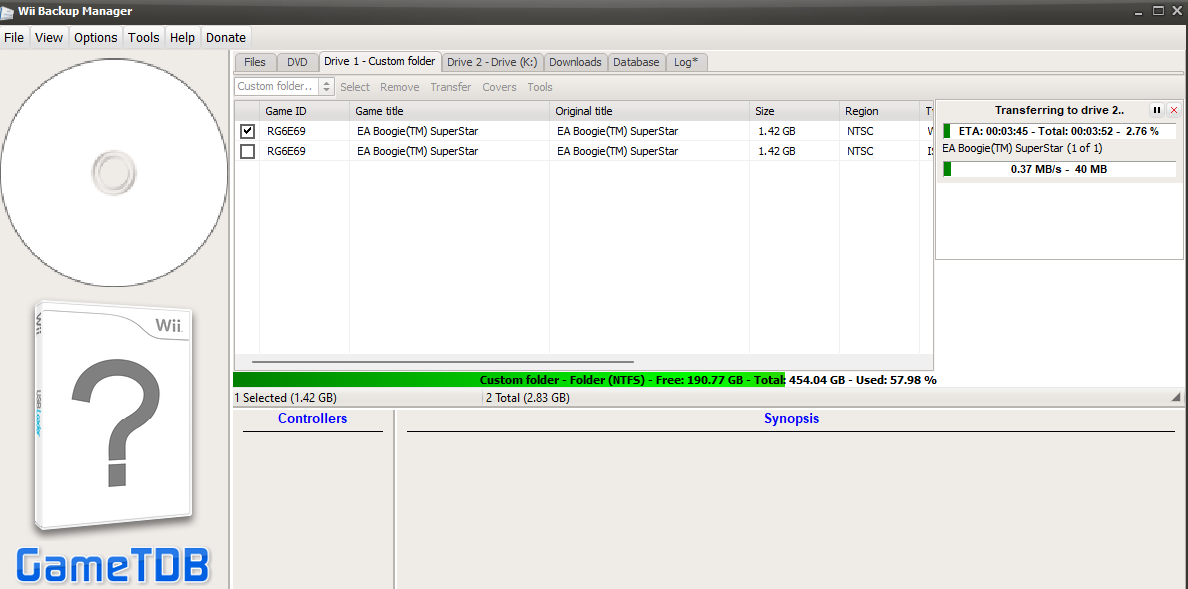
These are the steps I take for adding Wii ROMs to my Wii. I save the ROMs to a 256GB USB stick and run them with USBLoaderGX.
A lot of Wii ROMs are in the nkit.iso format. These come from Vimms Lair and you can convert them to ISO by using the NKit. As of writing this I'm using version 1.4.
To convert the nkit.iso files to ISO, simply drag 'n drop the file onto the ConvertToIso.exe file, and it wil start converting it. The output will look something like this: (here the converting of Boogie SuperStar is shown, a game my gf always played when she was a kid)
ConvertToISO v1.4, NKit.dll v1.4 :: Nanook

Processing command line and scanning files...
Found 1 file

DAT ENTRIES
-------------------------------------------------------------------------------
[3624 redump ] Redump.dat
[   0 custom ] Custom.dat
[9496 gametdb] wiitdb.txt

#####[ 1 / 1 ]#################################################################

FILES
-------------------------------------------------------------------------------
Input: F:\User Files\Sem\Downloads\Boogie SuperStar (USA) (En,Fr,Es)
  Boogie SuperStar (USA) (En,Fr,Es).nkit.iso

Temp:  G:\wii\NKit 1.4 + Wii Partitions\Processed
SmLog: G:\wii\NKit 1.4 + Wii Partitions\Processed\NKitSummary.txt

PROCESSING
-------------------------------------------------------------------------------
EA Boogie(TM) SuperStar [RG6E]  Wii  [MiB:1235,1]

3 Passes: [NKit.ISO] >> [1:To ISO] >> [2:Calc Hashes] >> [3:Full Verify]

To ISO:         .1.2.3.4.5.6.7.8.9.10 ~ 0m 53s  [MiB: 4482,3]  NKit Valid
Calc Hashes:    .1.2.3.4.5.6.7.8.9.10 ~ 0m  8s

    |DETAIL
    |...............................
    |CRC: 1D83ECD4
    |MD5: 34629EA89DF794BFFFC65F1D2F9230AF
    |SHA: 3E52E57C6178208F27297F690E704FD7798A750B
    |...............................

Full Verify:    .1.2.3.4.5.6.7.8.9.10 ~ 0m  3s                 Crc:1D83ECD4 - Success

Completed ~ 1m 6s  [MiB:4482,3]

RESULTS
-------------------------------------------------------------------------------
Boogie SuperStar (USA) (En,Fr,Es) [Redump Name]

Renaming Output Using Masks

Output: G:\wii\NKit 1.4 + Wii Partitions\Processed\Wii
    Boogie SuperStar (USA) (En,Fr,Es).iso

Summary Log Written


Press enter / return to exit . . .
After that's done, the resulting iso file will be in Processed directory.
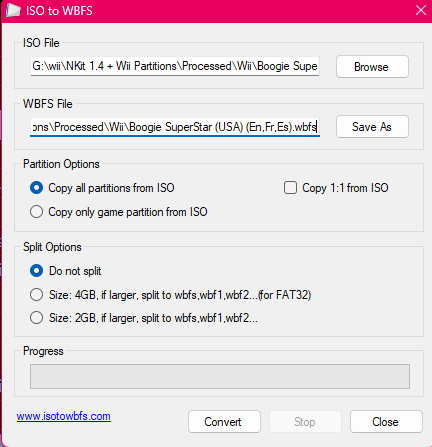
After converting to ISO, we need to convert it to WBFS. For that, I use the program ISO to WBFS (no way ╰( ̄ω ̄o)). Using it is simple, just open it, select your ISO file and click Convert
To finally transfer the WBFS file to the USB stick, I use Wii Backup Manager.
To transfer the files, select Custom folder... at the Drive 1 tab and navigate to the folder where your WBFS is stored. Select your USB drive for Drive 2.
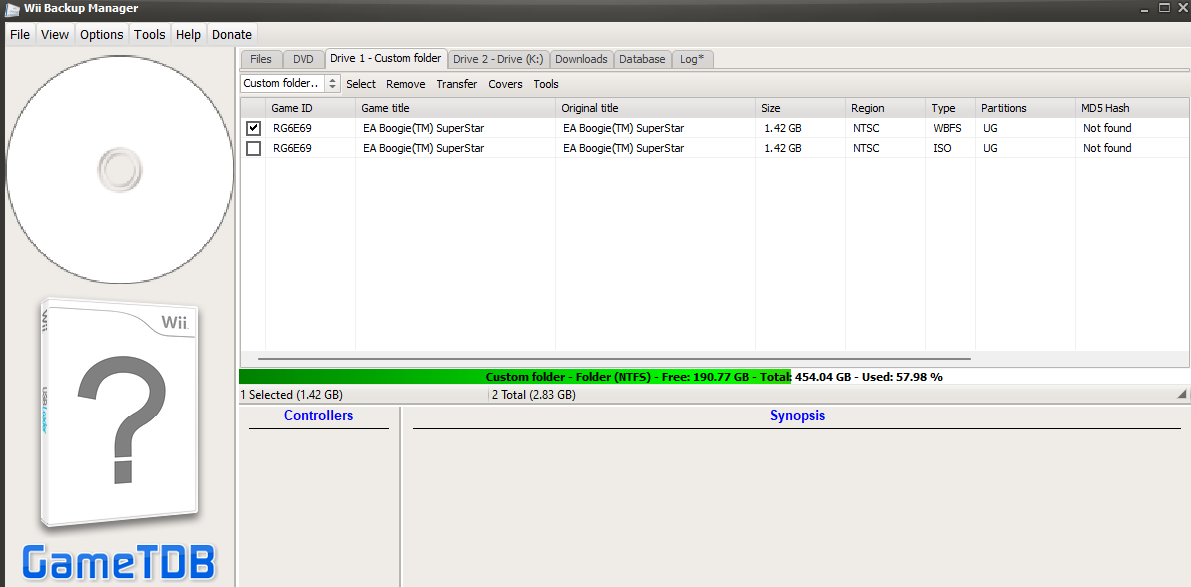
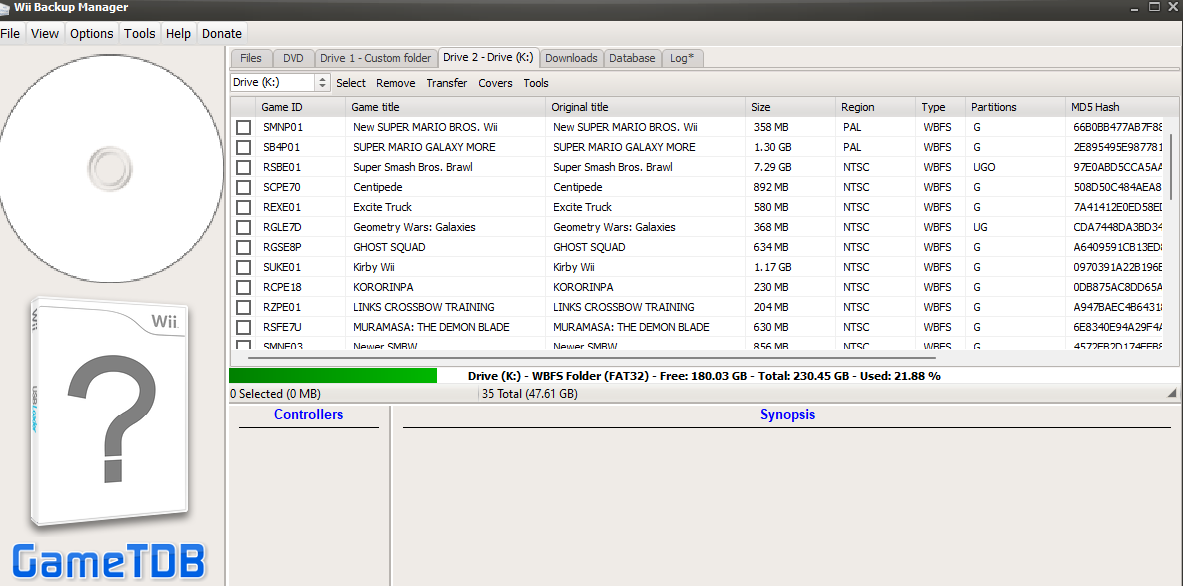
Then, check the box next to the files you want to transfer, and click Transfer -> Drive 2. Wait for the transfer to complete and voila! ヾ(@⌒ー⌒@)ノ